
Taxiway tools, rebuilt. Terminals, delayed.
The new Dynamic Terminal tool is delayed until next weekend. It needed a few more polishes before it lands in everyone's hands. Supporters get early access to help me squash some of the biggest issues. Very excited about what these dynamic terminals and concourses will bring to your airports!
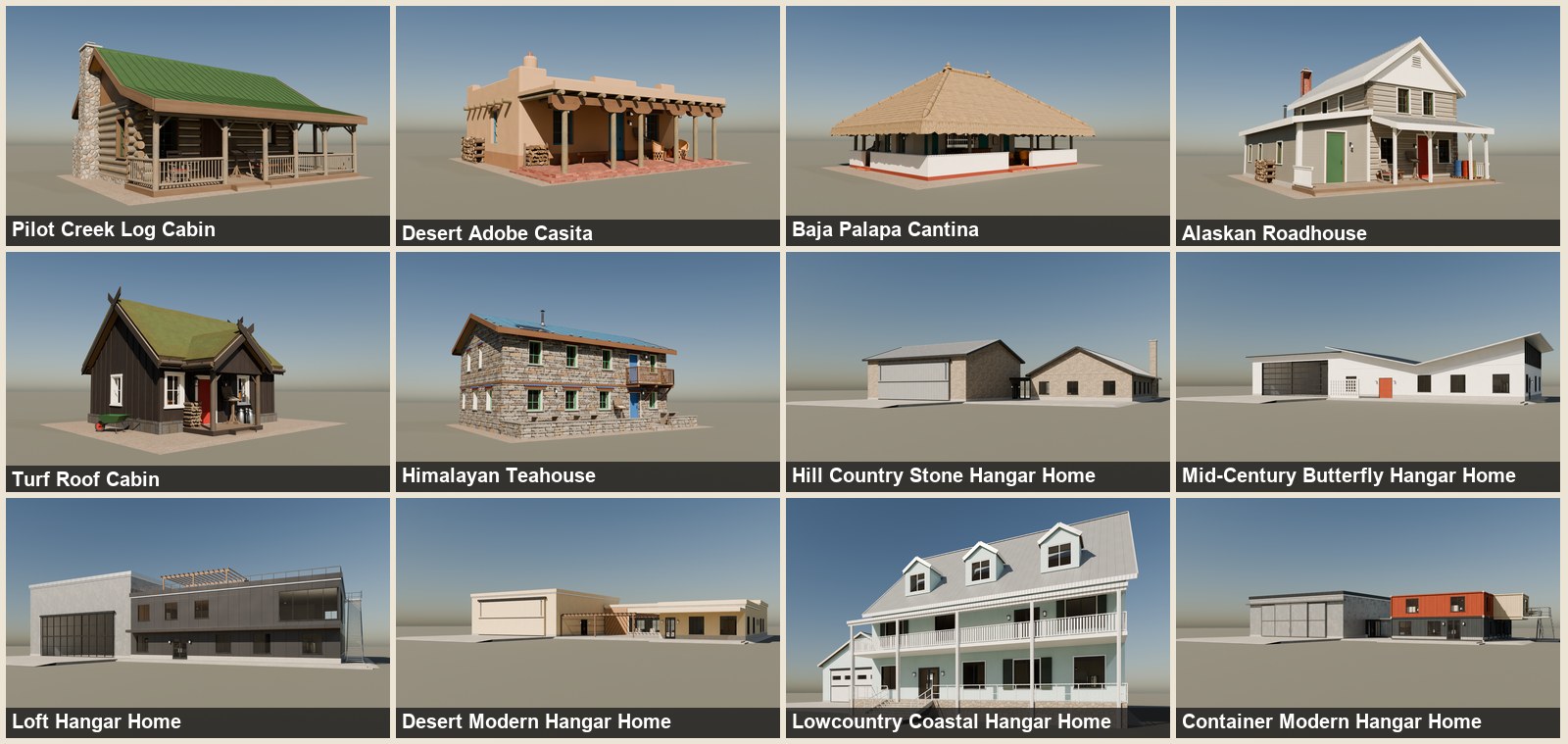
Bonus: 12 more premium hangar homes and cabins were released today. Preview at the bottom.
What's coming, and when
- Dynamic custom terminals, concourses and jetways: November 13
- Supporter price increase, with a big perk shift and more perks: November 21. Become a Supporter before then at today's price.
- Offline Airport Editing tool, for new and existing airports: December 4
- Offline Livery Workshop, using airframes installed on your own PC: January 2027
In the meantime, Taxi editing QOL!
Bare runway to a full taxiway network in about a minute. The new taxiway editor tools are live for everyone today.
Few clips below showing off some of the new snapping, path finding, naming, and pre-fab connectors and intersections. Really easy to use stuff and makes creating a realistic looking airport far simpler.
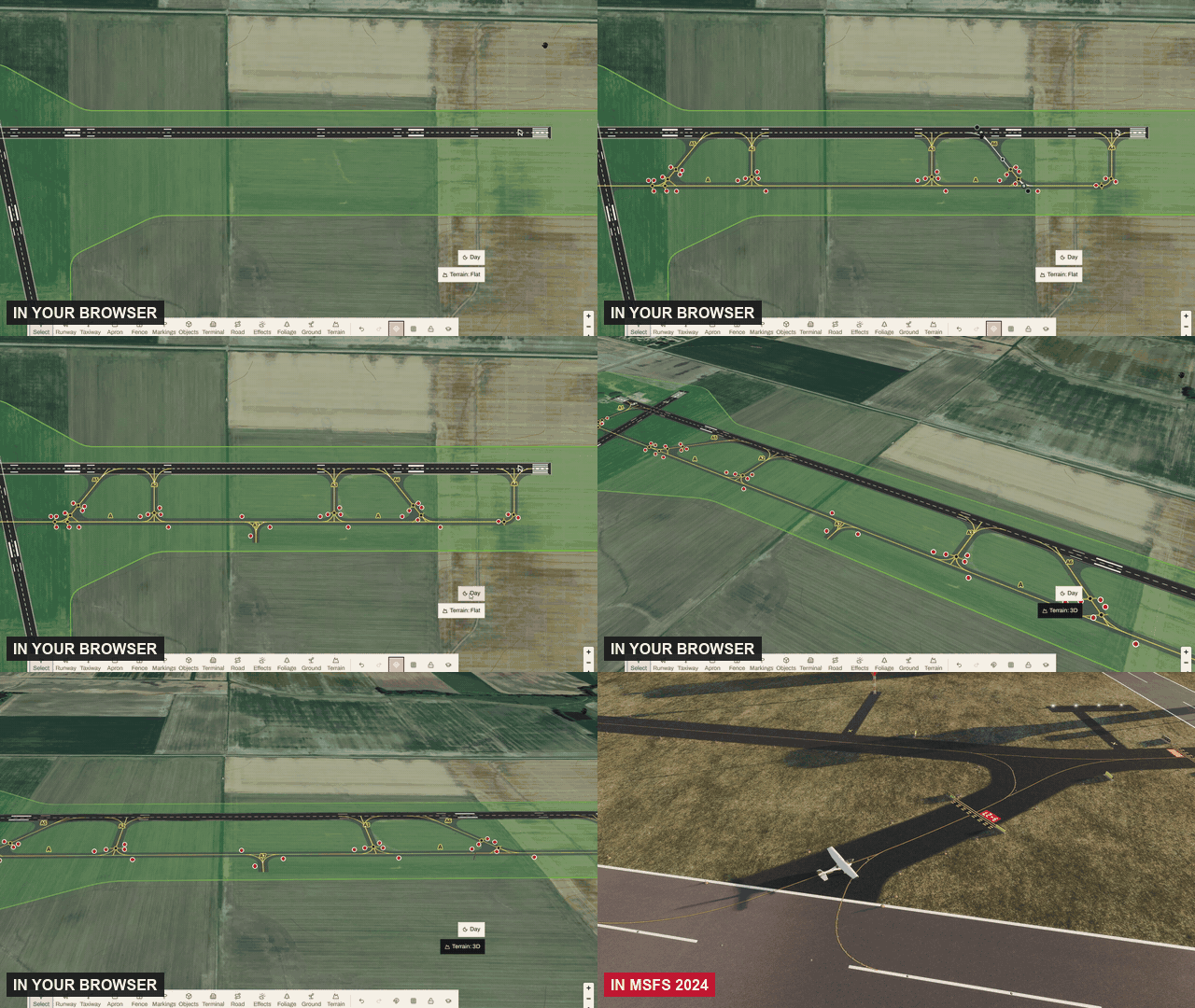
Can start anywhere, snap onto most things
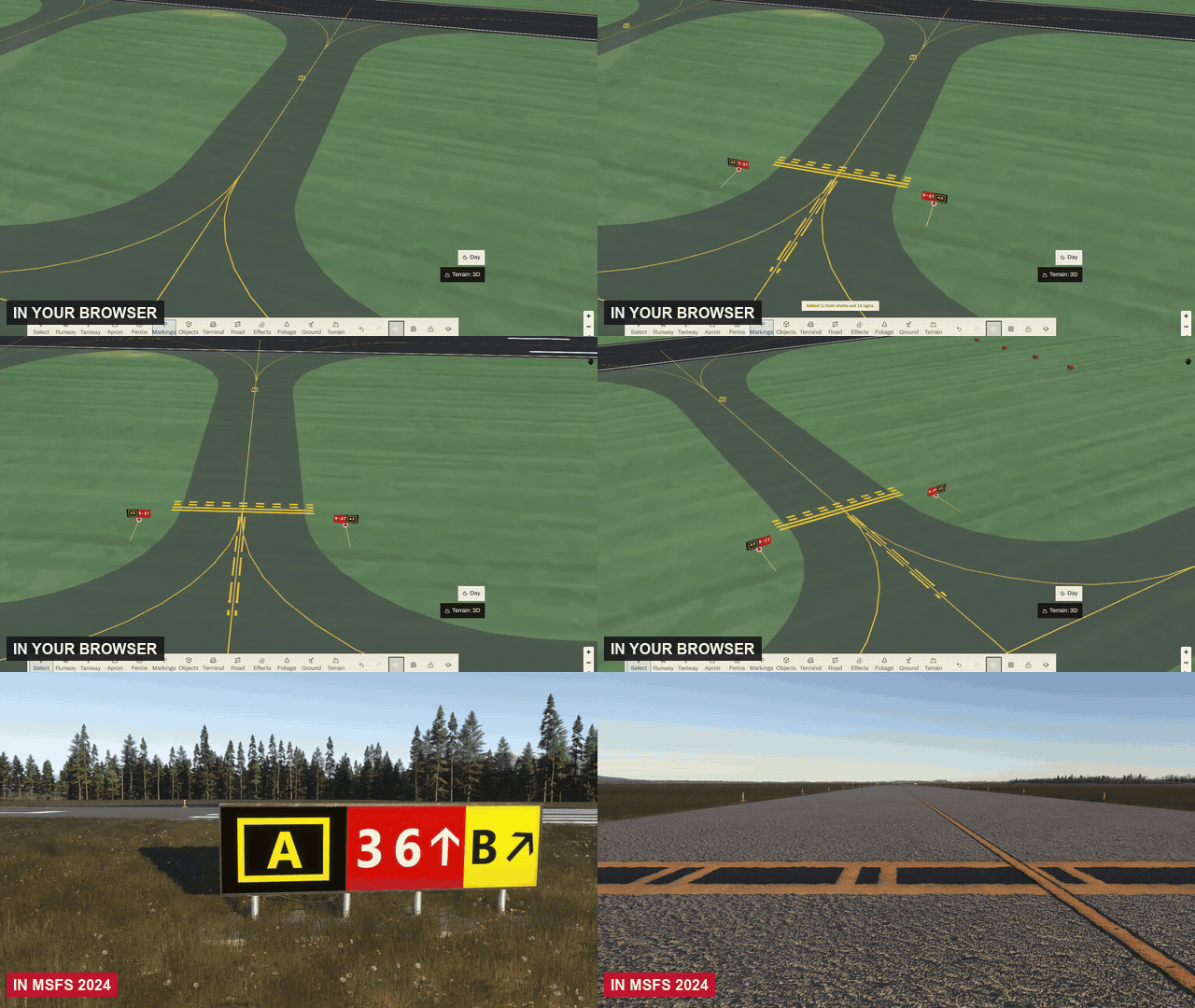
No more lining up ends by eye. Start a taxiway on another one and it branches off with a proper junction. End it on the runway and it becomes an exit with its hold line. It won't even let you draw past a runway end.
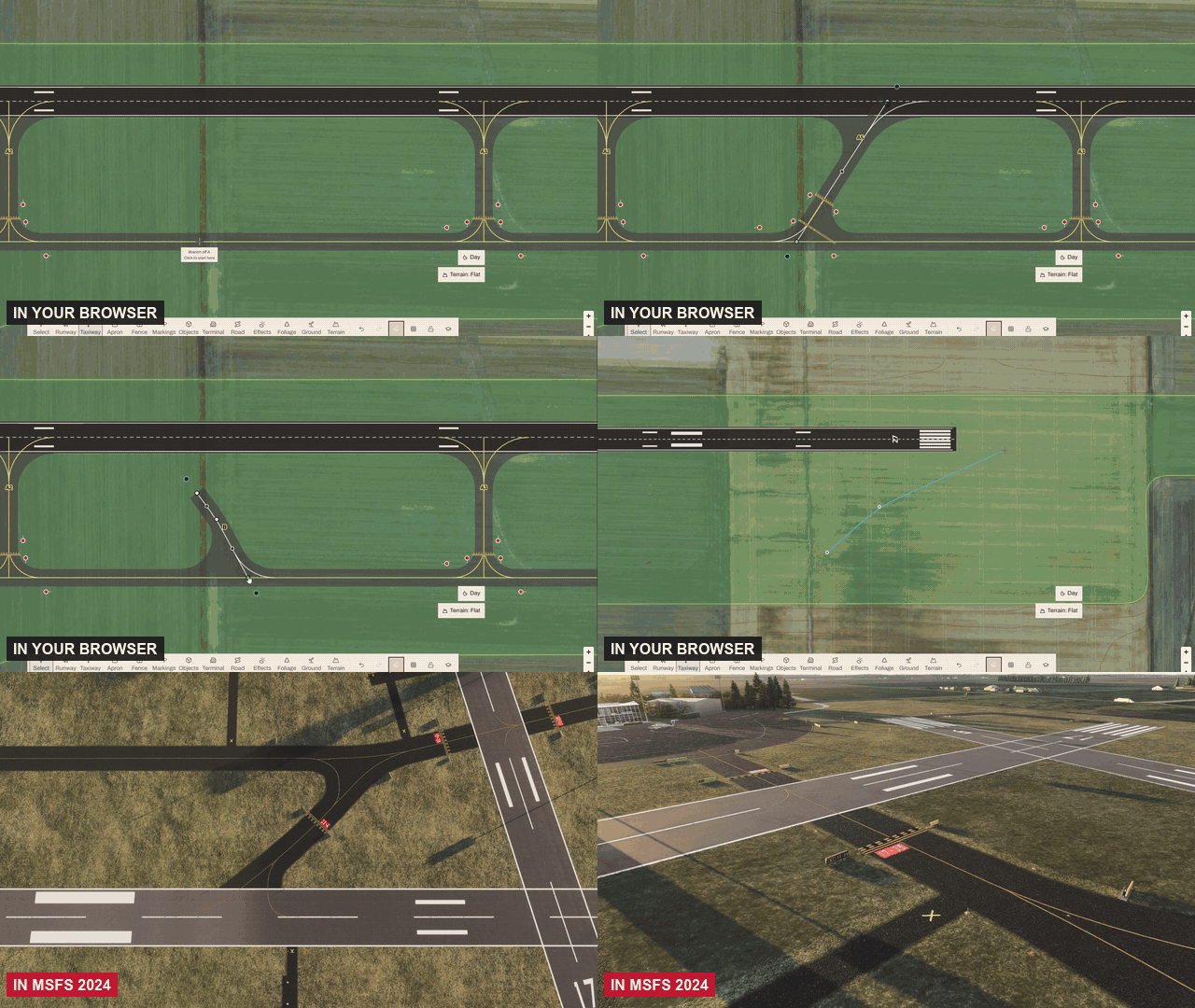
Moving established paths adjust connected pieces
Change your mind without starting over. Drag a runway or a taxiway and every connected exit stretches, stays joined and keeps its rounded corners. The names re-letter themselves if needed.
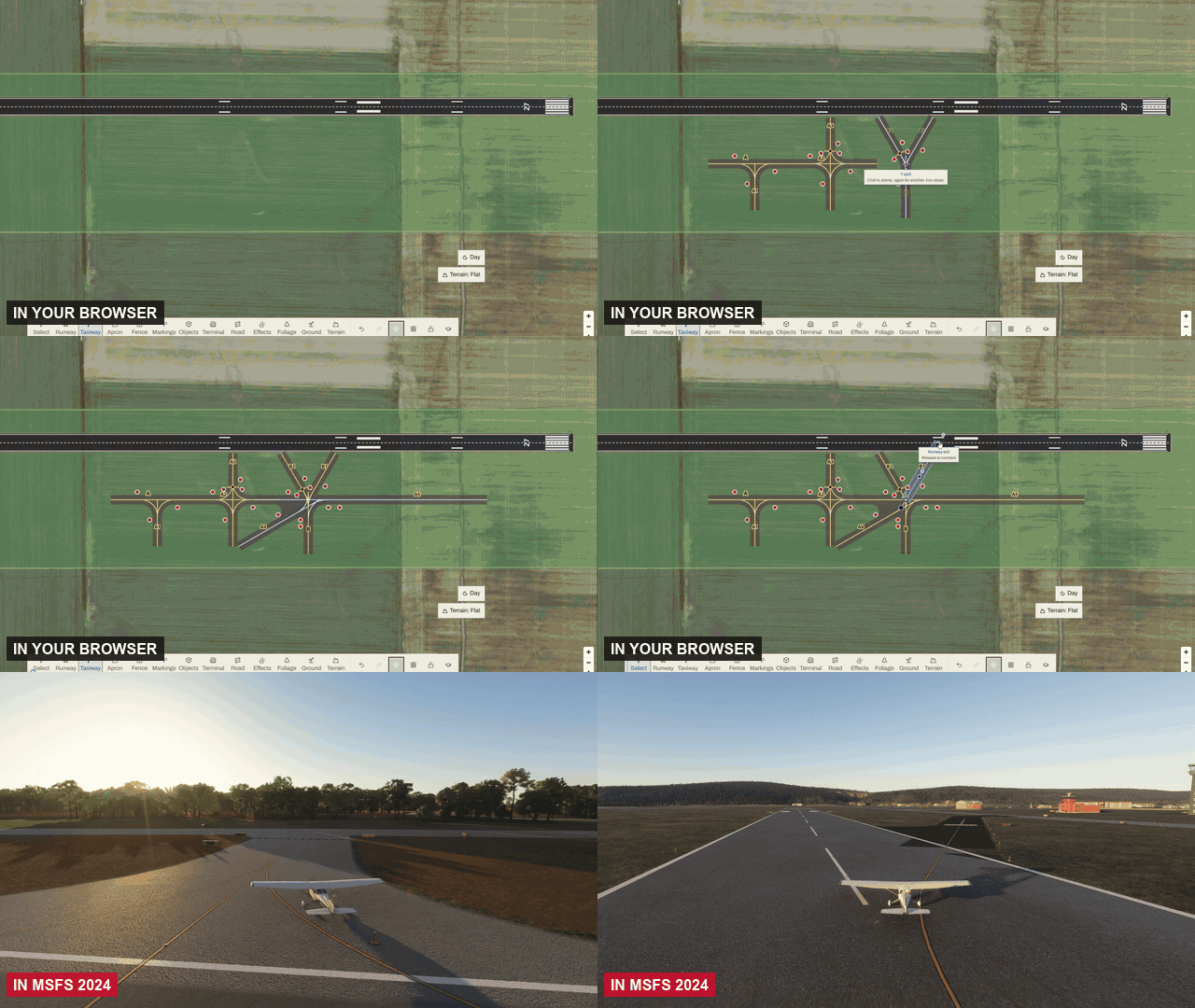
Easy Intersections
Need a T, an X, a Y or a rapid exit? Stamp one down. It welds into your network and every arm stays adjustable, so a junction takes seconds, not minutes.
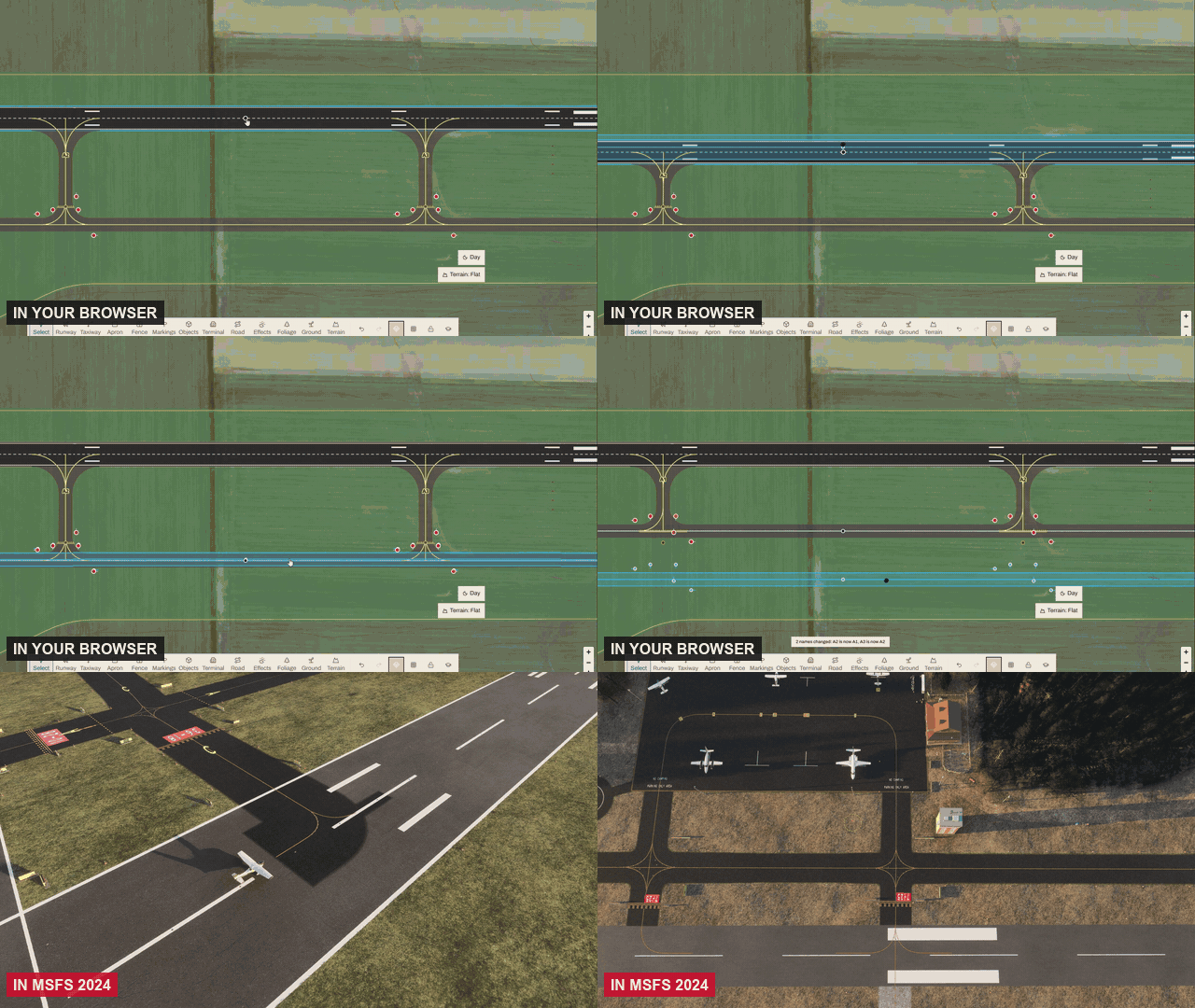
Automatic Taxi signs, hold short lines, and other cool stuff
No more placing signs one by one. Hold lines go in at every runway entry and junction signs appear where taxiways meet, named like a real chart: A to Z, then AA, BB.
Taxi lighting is cheaper!
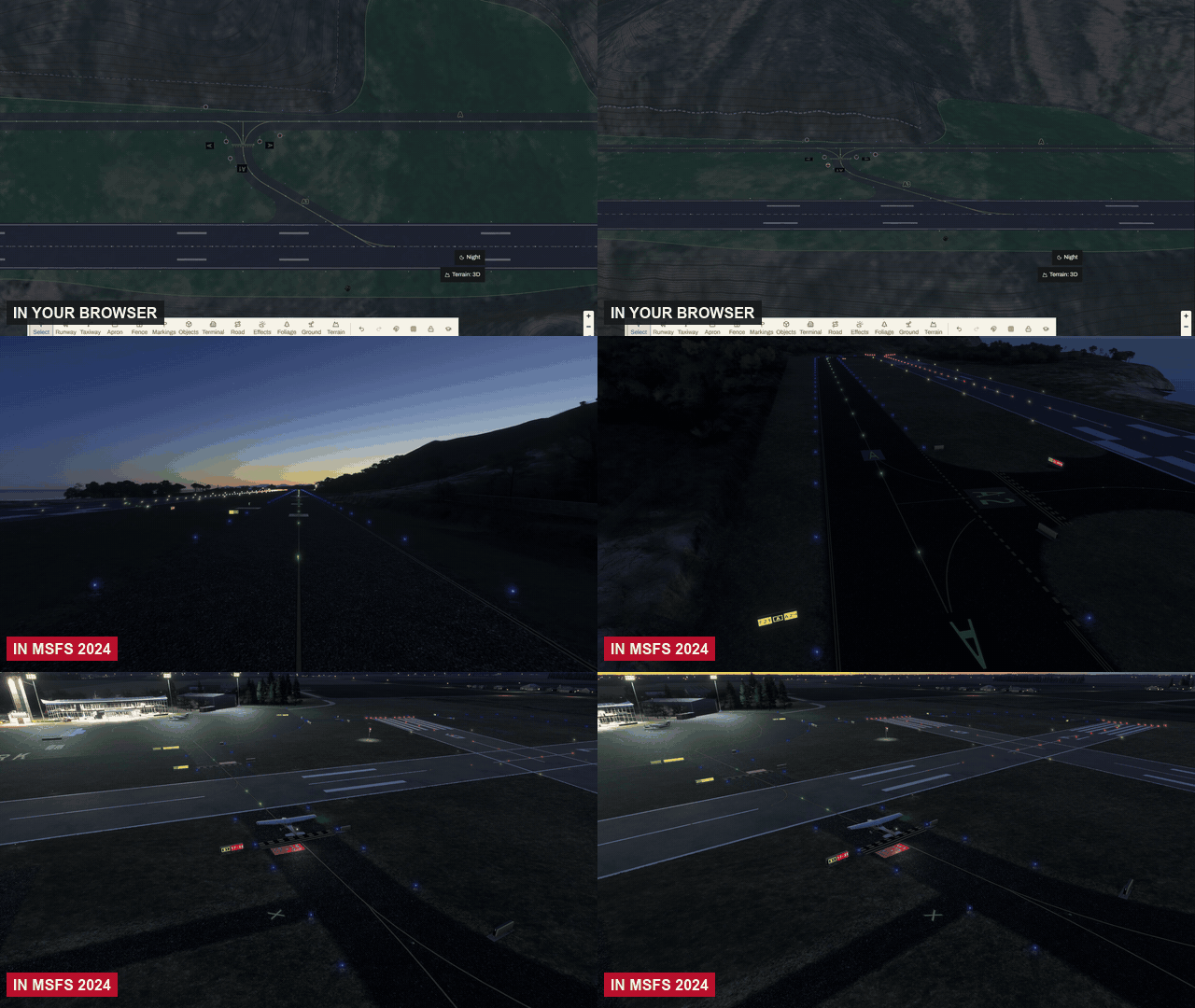
Light a big network without the big bill. Taxiway lights now cost 250 Aeros per 100 m of lit taxiway instead of 1,500 per piece, with green centerlines and blue edges at night.
Roads can now cross runways and taxiways
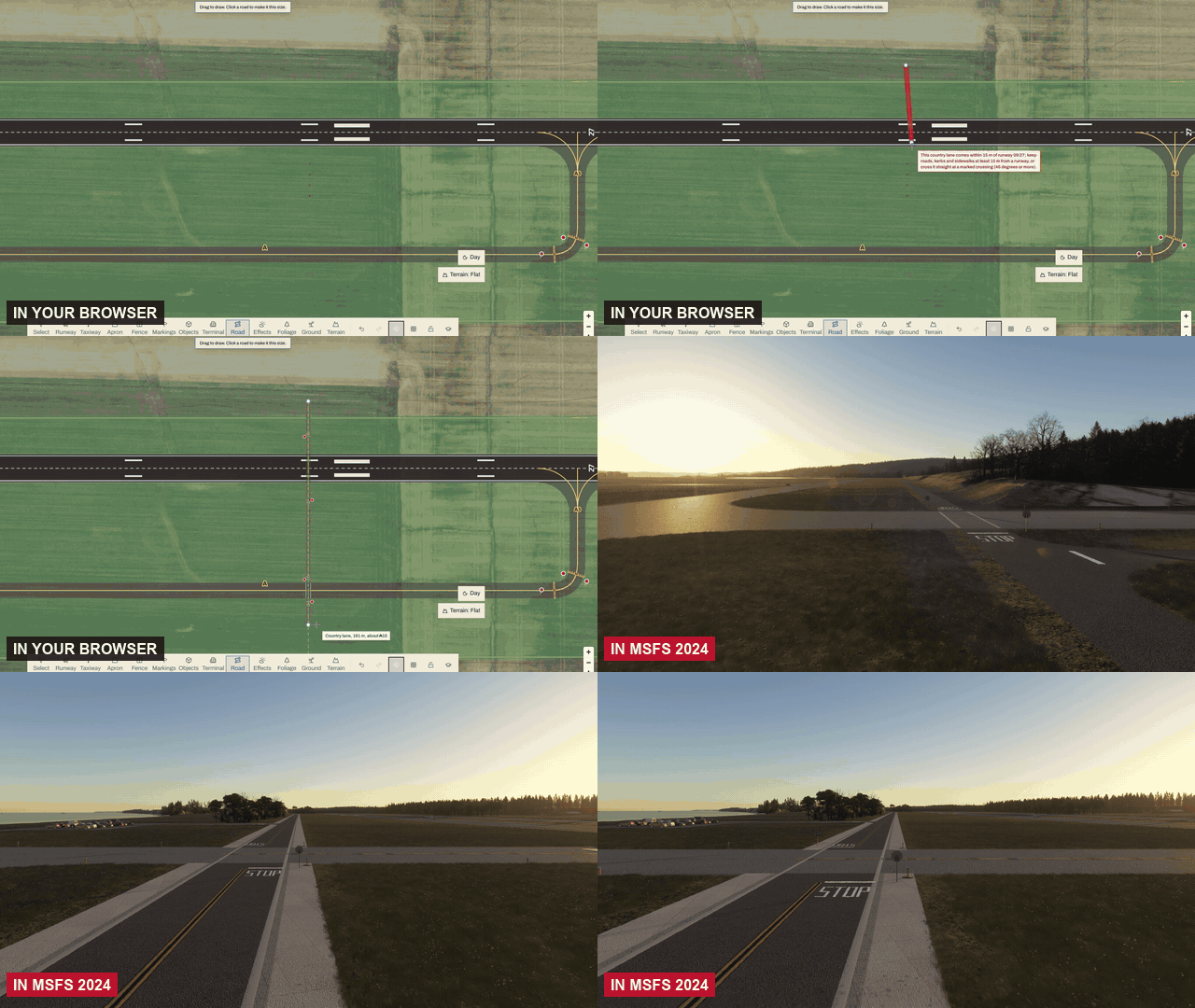
Service roads no longer error out near taxiways/runways. Roads can cross taxiways and runways and get auto generated crossings with stop bars and signs. Dirt and gravel roads are new too!
Bonus: 12 more walkable buildings
Six backcountry cabins and six hangar homes, all walkable inside, are in the catalogue now. Supporters get 35% off.
Terminals arrive for everyone on November 13. Supporters have early access right now. The Supporter price is going up soon, with a big perk shift and more perks!
Free to build and fly, no subscription. Questions, ideas, or a field you want people to visit? Come and say hi in our Discord!
- Justice McCracken, Creator of Project Airports