
Getting Started5 min read
Your account & callsign
One free account runs everything - the website, the builder, and the companion app. This page covers creating it, the short wizard that follows, and where to change things later.
Signing up
Create your account at /signupwith Google, Discord, or an email address and password (minimum 8 characters). Email signups get a confirmation email - click the link and you're in.
The onboarding wizard
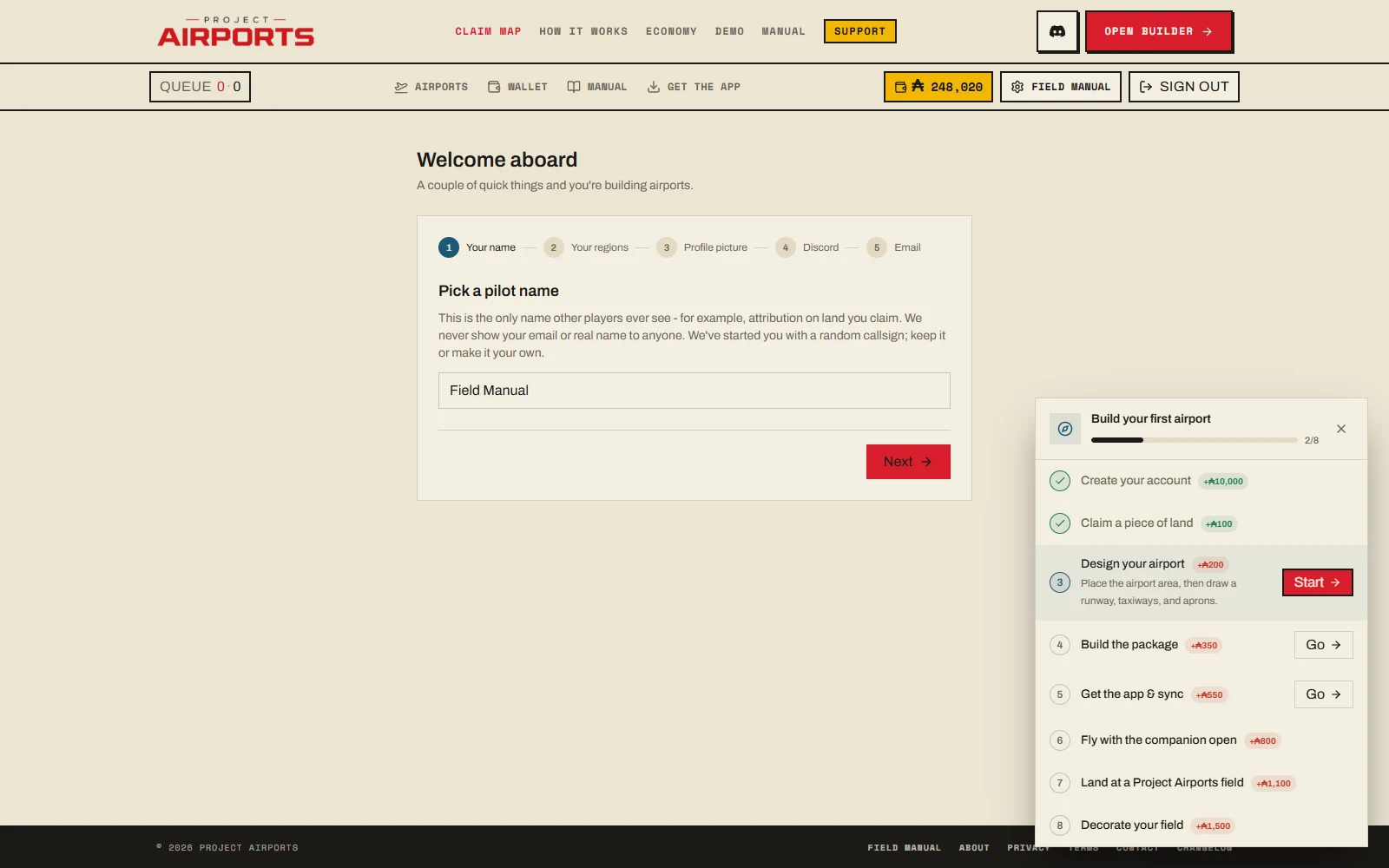
Right after signup, a five-step wizard sets up your presence in the world. Only the first step is required.
- 1Your name
Your public pilot callsign- the name every other player sees. It's required, and the field comes pre-seeded with a random suggestion if you'd rather not think about it now.
- 2Your regions
The sync regions the companion app uses to decide which community airports land in your sim - see Install the companion app.
- 3Profile picture
Optional. Skip it and add one later in settings.
- 4Discord link
Optional. Linking your Discord account is also what grants the Supporter role on our server if you later become a Supporter.
- 5Email preferences
Marketing and product-update emails - both optional, both off if you leave them unchecked.
Your callsign & privacy
Your callsign is the only name other players ever see - on the Claim Map, on public airport pages, in live traffic. Your real name and email address are never shown publicly, anywhere. The full picture is in Privacy & moderation.
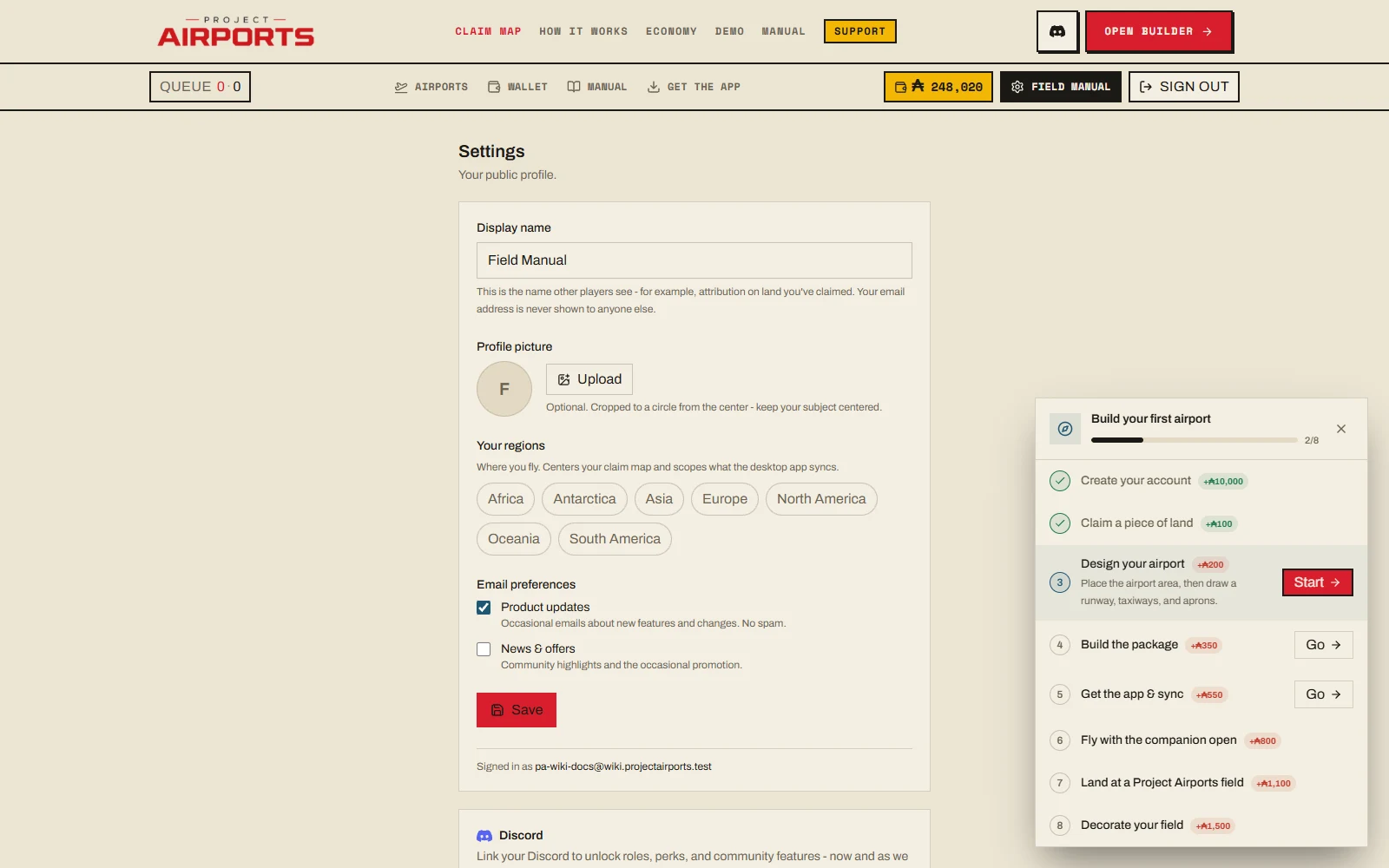
Settings
Everything from the wizard - and a few things beyond it - lives at /portal/settings: your display name/callsign, avatar, sync regions, email preferences, Discord link/unlink, and management of airports you've hidden.
Forgot your password? Reset it at /auth/reset.
The portal guide
A persistent checklist in the portal coaches you through the first-airport journey, and each step pays out Aeros when you complete it:
| Milestone | Reward |
|---|---|
| Claim your first plot | Ⓐ400 |
| Design an airport | Ⓐ700 |
| Queue your first build | Ⓐ1,000 |
| Sync it into MSFS | Ⓐ1,500 |
| Your first flight | Ⓐ2,000 |
| Your first landing | Ⓐ2,700 |
| Place 10 objects | Ⓐ3,700 |
| Join and connect Discord | Ⓐ1,000 |
One-time rewards, paid as you go.