
Community & Account5 min read
Public airport pages & sharing
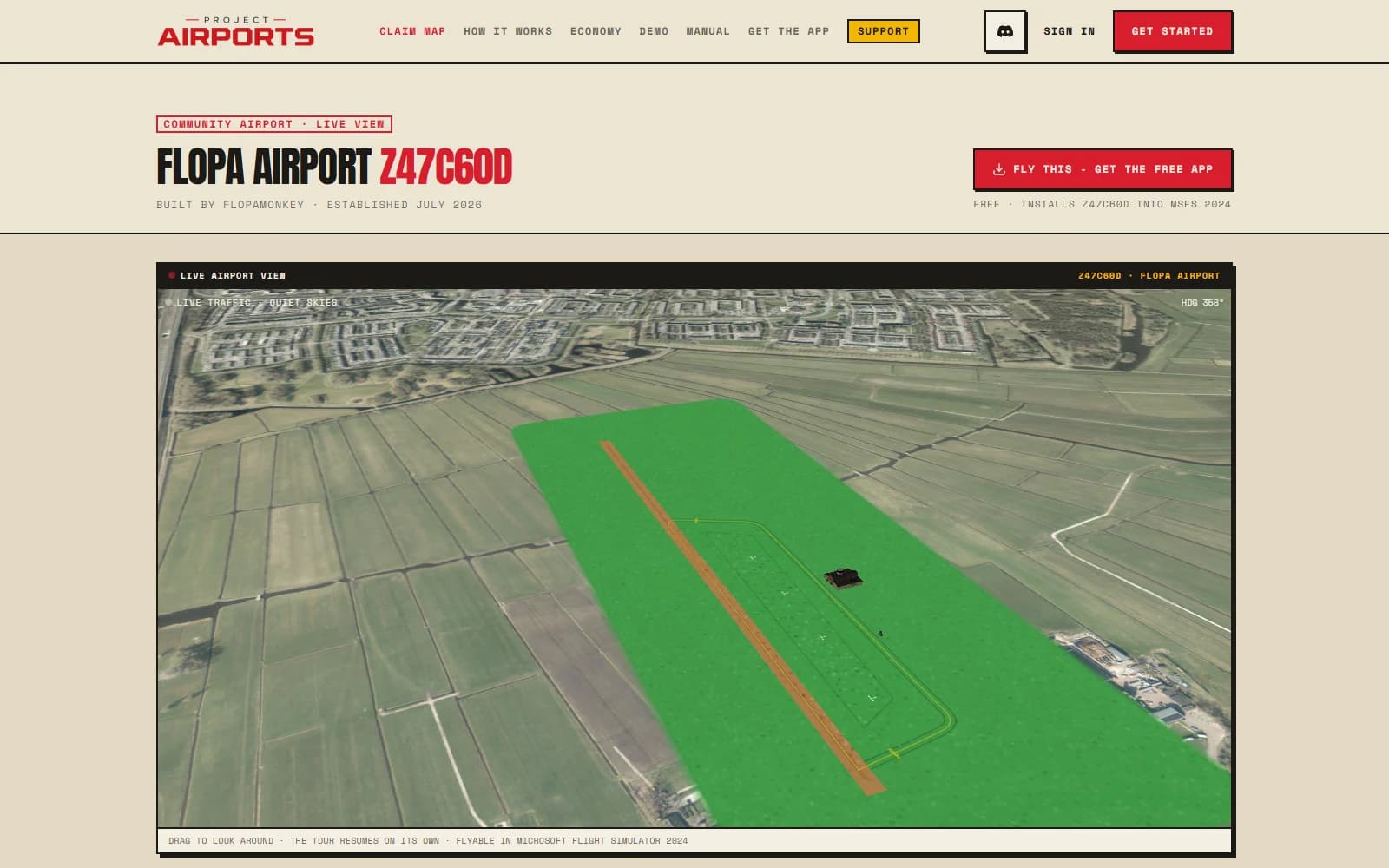
Every published airport gets a public page at projectairports.com/airports/<slug> - a live 3D showcase anyone can open. Pilots can discover the field, hear its story, and talk to its builder without needing to be on Discord.
The public page
The page renders your airport in a live 3D viewer - satellite imagery, your layout, your objects, your foliage, even live traffic passing through. Around it:
- A stat band: runways, longest strip, object count, and field elevation.
- An Instrument procedures viewer when your field publishes approaches: every ILS, RNAV, VOR/DME, NDB and circling chart as a flip-through plate deck, each opening as its own printable page.
- Your story - the description you write for the field.
- Up to five hashtags that connect it to similar fields.
- An MSFS screenshot you upload, for the in-sim glamour shot.
- A public comment thread. Anyone can read it; signed-in members can leave notes, questions, and flying tips.
Editing & sharing
Everything is managed from Your airports: open your airport card, then Edit details to set the story and hashtags or upload a screenshot, and Shareto copy the link and toggle the public listing. The airport's builder can remove comments from its page; comment authors can remove their own.
Attribution on the page is your public callsign only - never your email or account details. See Privacy & moderation.
The directory
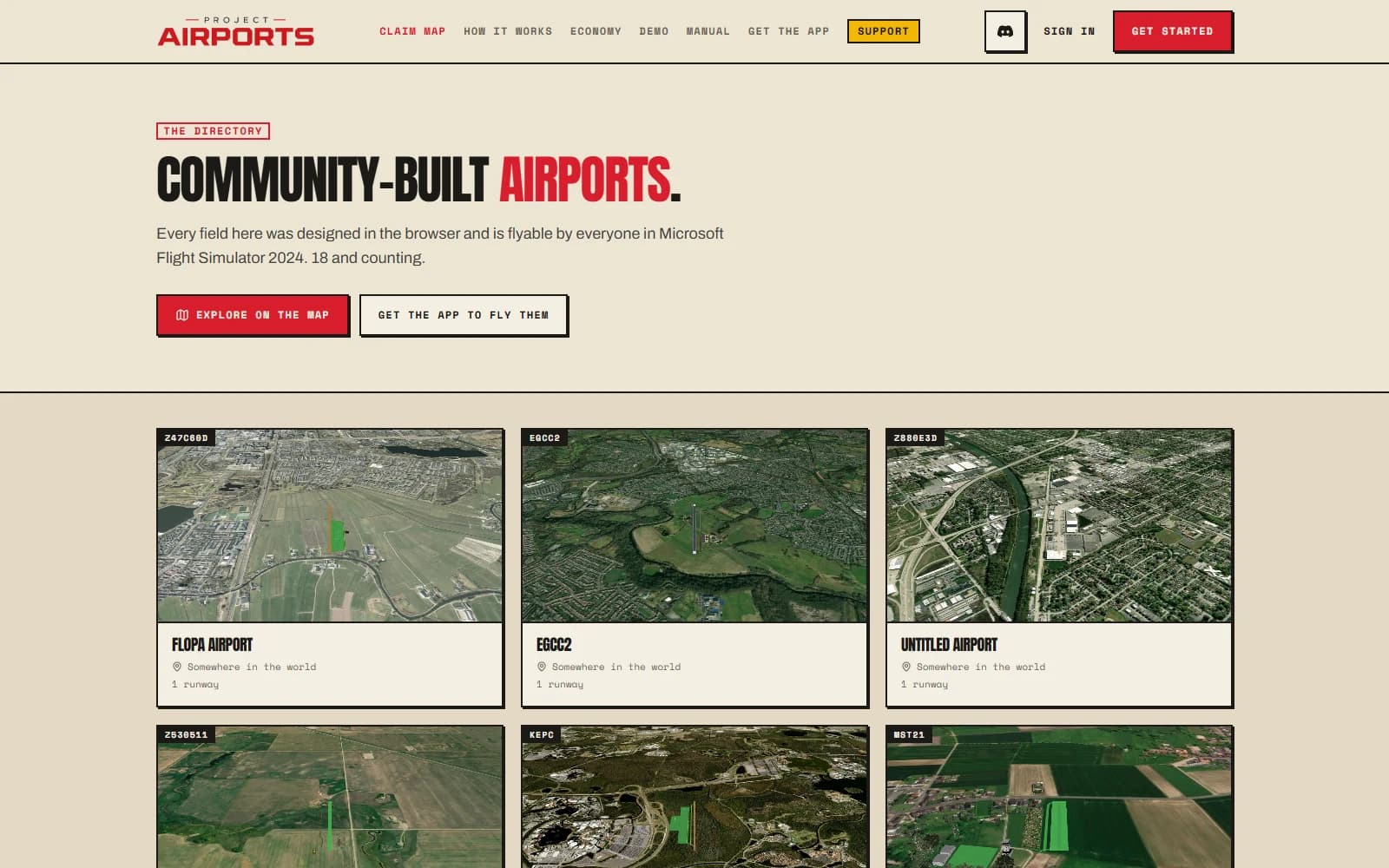
Published airports are listed in the public directory at /airports by default. The eye toggle takes the listing and its public page offline until you turn it back on; the same permalink works again when it is relisted.
Hashtags on an airport page link to a filtered directory, so labels like #bush-flying, #short-field, or #swiss-alps become another way for pilots to find their next destination.
Sharing pays
Visitors who open your page are funnelled toward getting the free companion app to fly your field - and every player who flies out to see it earns you visit income of Ⓐ20–320, scaling with how much you've invested in the field. They don't even have to land: overflying your runway is a visit, and it pays you once per visitor per day, up to 20 a day, on top of your daily cap (see Earning Aeros). Being published and visible is the difference between a private diorama and a destination.
Content creators
Content creators get extra tooling - custom logo platforms for their fields and a leaderboard at /creators/leaderboard. If that's you, apply via Discord.