
Ground Navigation7 min read
Ground navigation
Ground navigation is what turns a runway with buildings into an airport: stands to spawn at, hold-short bars where they belong, illuminated signage that reads correctly, and painted text on the pavement. All of it is free - realism is never paywalled - and all of it compiles to native MSFS elements.
The Markings tool
Press M to open the Markings tool. It holds four sub-tools in a grid: Parking, Hold short, Sign, and Text. Parking is big enough to get its own page; the other three are covered here.
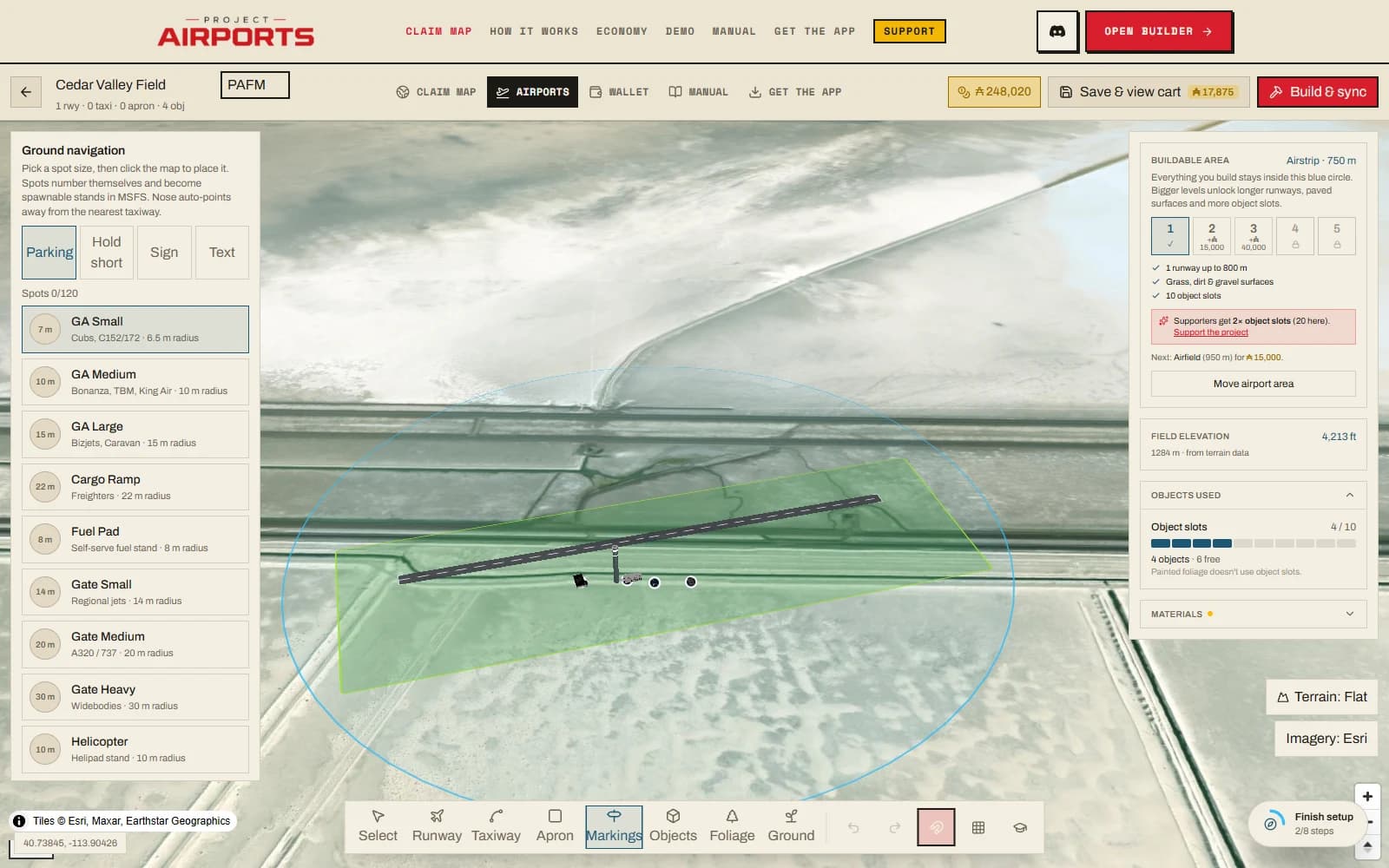
Everything here becomes the real thing in the sim: real spawnable stands, real illuminated signage, real painted text. Each kind has a per-airport limit, with live counters in the tray (for example Spots N/120):
| Element | Limit per airport |
|---|---|
| Parking spots | 120 |
| Hold-shorts | 80 |
| Taxi signs | 120 |
| Ground texts | 60 / 100 / 160 / 240 / 320 (L1-L5) |
All four are free. Ground-text room grows with the buildable-area level.
Hold shorts
Click a taxiway to drop a hold-short bar on its centerline, then drag to slide it along the taxiway to exactly where it belongs. Hold-shorts need a taxiway to sit on - without one the tool tells you plainly: "Draw a taxiway first - hold-shorts sit on a taxiway centerline" (Taxiways & aprons).
Three variants cover the real-world cases: Runway hold, ILS critical area, and Taxiway intersection. If the bar faces the wrong way, Swap hold side flips it.
Auto-detect
The Auto-detect at runway crossings button scans every taxiway/runway crossing on your field and places bars at real holding distance in one pass. An optional checkbox, Add holding-position signs, adds matching signs on the pilot's left - reading correctly from each side, e.g. A 18-36.
Taxi signs
Click to place an illuminated sign. The property card shows a live face preview in real MSFS sign colours, so what you compose is what taxies past you in the sim. Signs are built from segments:
- Up to 6 segments per sign, each with a kind and text - text is auto-uppercased.
- Insert arrows from a grid (< > ^ v and the rest) between segments.
- A Size slider from 1 to 5, Left/Right justification, and a facing heading.
Your taxiway ATC designations feed the sign labels, so name your taxiways before you sign them - Taxiways & aprons covers designations.
Ground text
Click to paint text directly on the pavement - ramp labels, compass calibration marks, a welcome message at the terminal. The property card gives you a multi-line textarea, letter height from 0.5 to 12 m (default 3 m), a text colour (default marking-yellow), an optional background colour or transparent, and a heading.