
Getting Started5 min read
Install the companion app
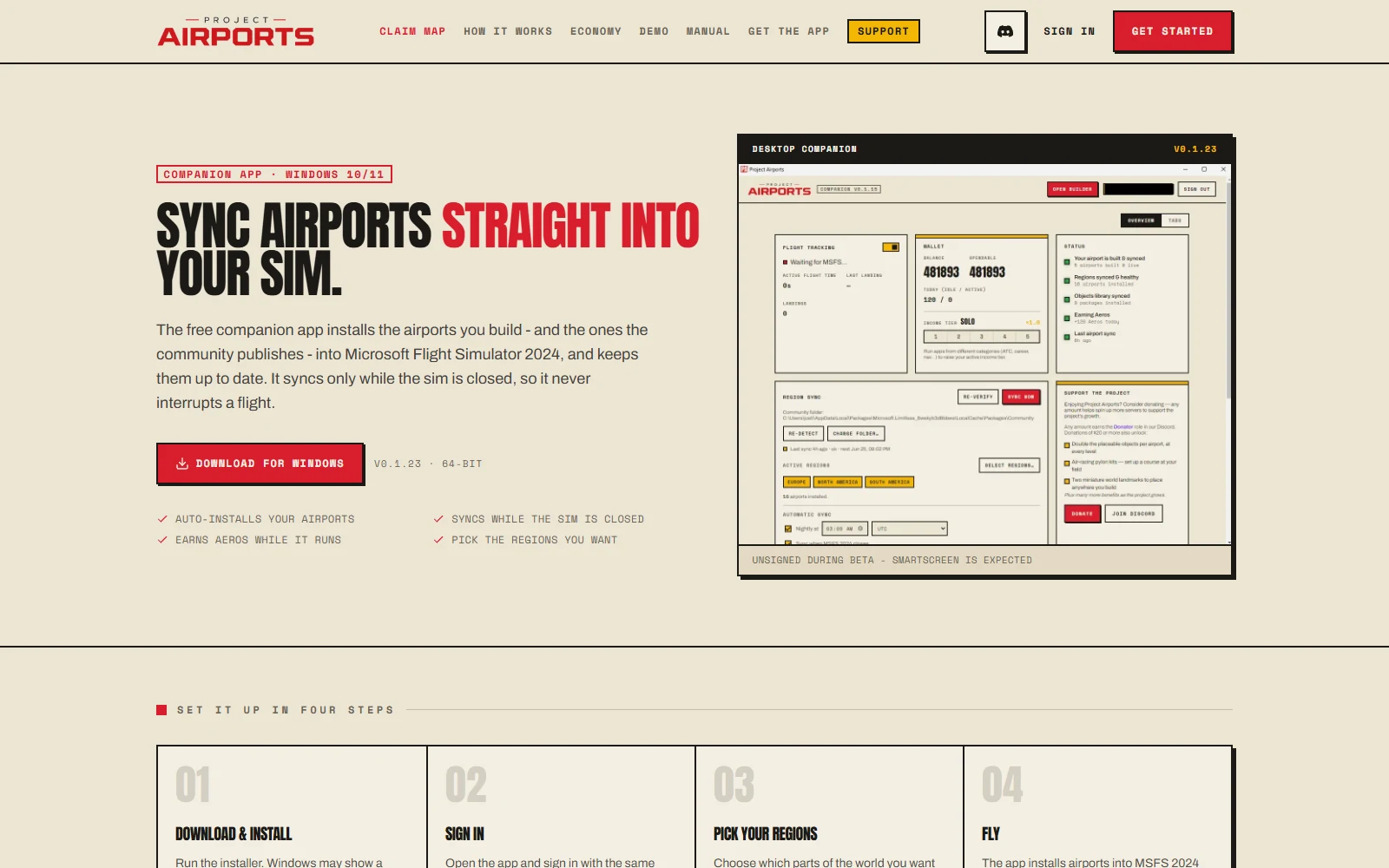
The companion app is a free Windows desktop app that does two jobs: it installs your built airports into Microsoft Flight Simulator 2024, and it turns your flying into Aeros. The website is where you design; the app is where the sim side happens.
Why you need it
You can claim land and design airports entirely in the browser, but the app is required for everything that touches the sim:
- Syncing
- The app copies finished builds into your MSFS installation - automatically, while the sim is closed. Details in Syncing to MSFS.
- Earning
- All income - idle, flight, the bonus for visiting a new field, and the income from pilots visiting yours - flows through the app while it runs. No app, no Aeros. Details in Earning Aeros.
The four-step setup
The download page walks the same four steps; here they are with the fine print.
- 1Download & install
Go to /download and press Download for Windows - the button shows the current version and file size (around v0.1.23 at the time of writing, 64-bit). Run the installer.
- 2Sign in
Sign in inside the app with the same account you use on the website - email and password, or Google/Discord. The OAuth buttons open your system browser and return you to the app automatically once you approve.
- 3Pick your regions
On first run the app defaults your sync regions to North America and Europe. Regions decide which community airports the app installs alongside your own - change them any time in the Regions tab.
- 4Fly
That's it. Leave the app running, fly MSFS as usual, and it handles syncing and earning in the background. First time through the whole loop? Follow Your first airport.
Around the app
The app lives in your system tray and stays out of the way. Open its window and you'll find five tabs:
- Overview
- The at-a-glance home: your account and what the app is doing right now.
- Flight
- Your current flight while the sim runs - the feed behind live traffic and flight income.
- Wallet
- Your Aeros balance and recent earnings, without opening the website.
- Status
- Sync state for your airports - the place to check when something doesn't appear in the sim (see Troubleshooting).
- Regions
- Which parts of the world sync to your Community folder.
The Open builder button jumps straight to the web builder in your browser, so the app can be your launchpad for building sessions too.
Updates
The app keeps itself current. Updates download silently in the background; when one is ready, a Restart nowbar appears - click it whenever convenient. The app also checks for updates every time it launches, so even a machine that's been off for weeks catches up on its own.