
Decor & Objects6 min read
Vegetation painting
The Foliage tool lets you paint living forest and brush directly onto the ground. It costs Aeros per area painted but uses no object slots - so the tree line around your field never competes with your hangars for budget.
How painting works
Press P to open the Foliage tool, pick a biome, and drag across the map. What you paint compiles to native MSFS vegetation, so in the sim it renders and LODs exactly like stock forest - it looks right at altitude and up close.
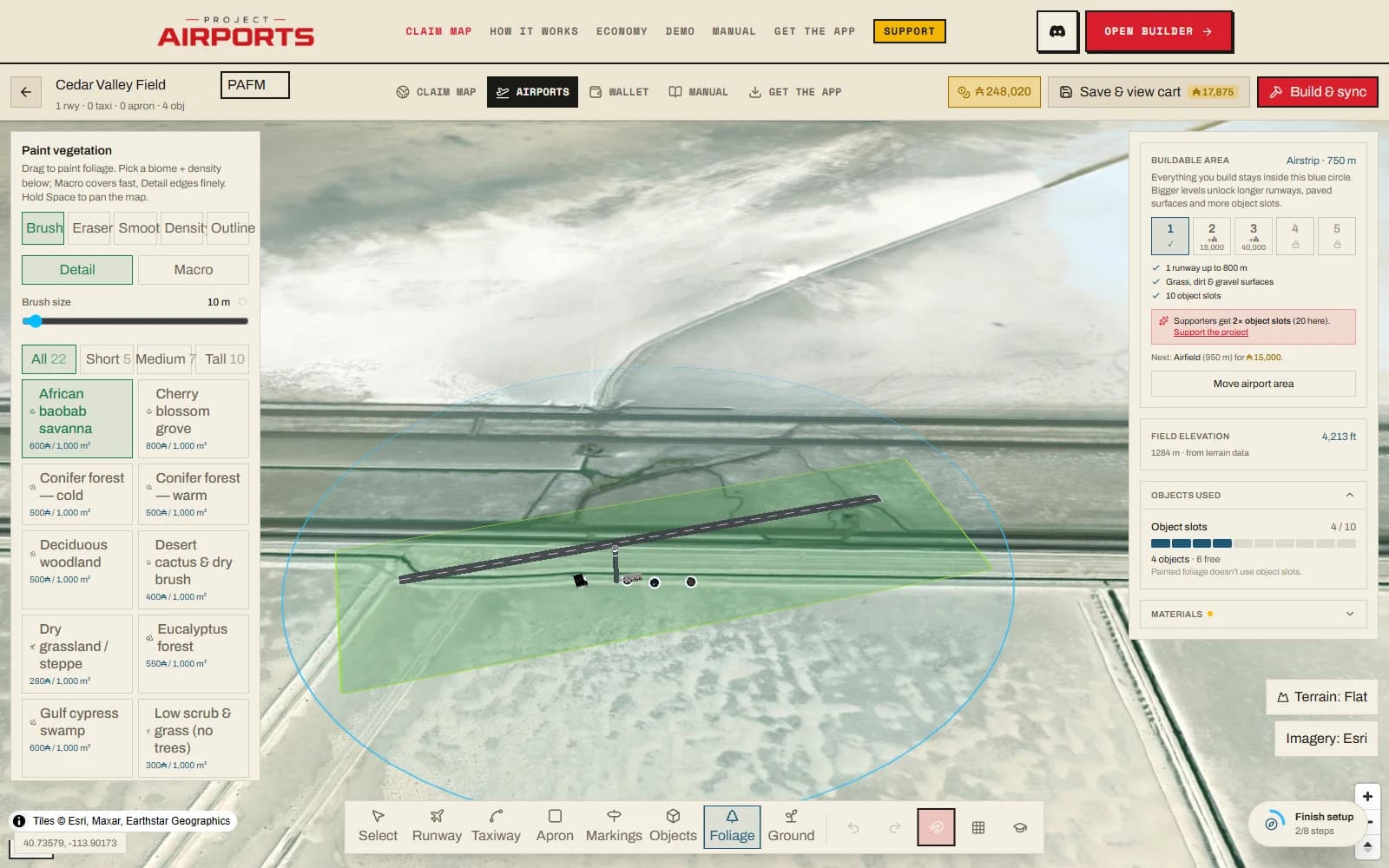
The five sub-tools
- Brush
- Drag to paint. Presets: Detail (10 m) and Macro (40 m), with a size slider from 5 to 150 m.
- Eraser
- Carve clearings and holes out of painted areas - the tool for keeping approaches clear.
- Smooth
- Rounds off jagged edges so painted boundaries read as natural tree lines.
- Density
- Re-set the thickness of existing paint without growing its footprint.
- Outline
- Precision polygon mode: click corners, then double-click or press Enter to close the shape. Best for property lines and field edges.
Biomes & density
Biomes are filtered by height chips - All, Short, Medium, Tall - and each biome card shows its price per 100 m² painted. The density slider runs 1–100% and defaults to 60%.
What it costs
Billing is by area: 1 vegetation unit = 100 m² painted, priced per biome. Units are bought through the same account pool as objects, so they show up in the save cart like everything else - see Spending & prices for the model. What vegetation never costs is slots: painted foliage is slot-free, always (Object slots).
A unit is the smallest amount of foliage you can buy, so a zone always rounds up to a whole one - a single dab of the 5 m brush still costs one unit. All of a biome's paint is added up before that rounding happens, though, so painting the same biome at three densities is not three round-ups.
Forests get cheaper as they grow: the first 50 units of a biome (5,000 m²) bill at the card price, the next 100 at 60% of it, and everything beyond 150 units at 35%. The discount follows your account-wide pool of that biome, and it doesn't matter whether you paint in one big save or many small ones - the total comes out the same.
Paint vs. placed trees
Individual placeable trees also exist in the object catalogue at ¼ slot each. The two are complements, not rivals: use paint for mass - the forest, the windbreak, the scrub between taxiways - and placed trees for composition, the hero specimens next to buildings and along the entrance where you want to control exactly what stands where.