
Ground Navigation6 min read
Parking spots
Parking spots are the difference between scenery and an airport you can actually fly from. They become real spawnable stands in MSFS, they're free, and every field - down to the smallest bush strip - should have a few.
Placing spots
Parking lives under the Markings tool: press M, then pick Parking. Choose a spot size preset - the cards show each preset's radius - then click the map to place. Spots number themselves automatically as you go, and each one's nose auto-points away from the nearest taxiway, which is almost always what you want.
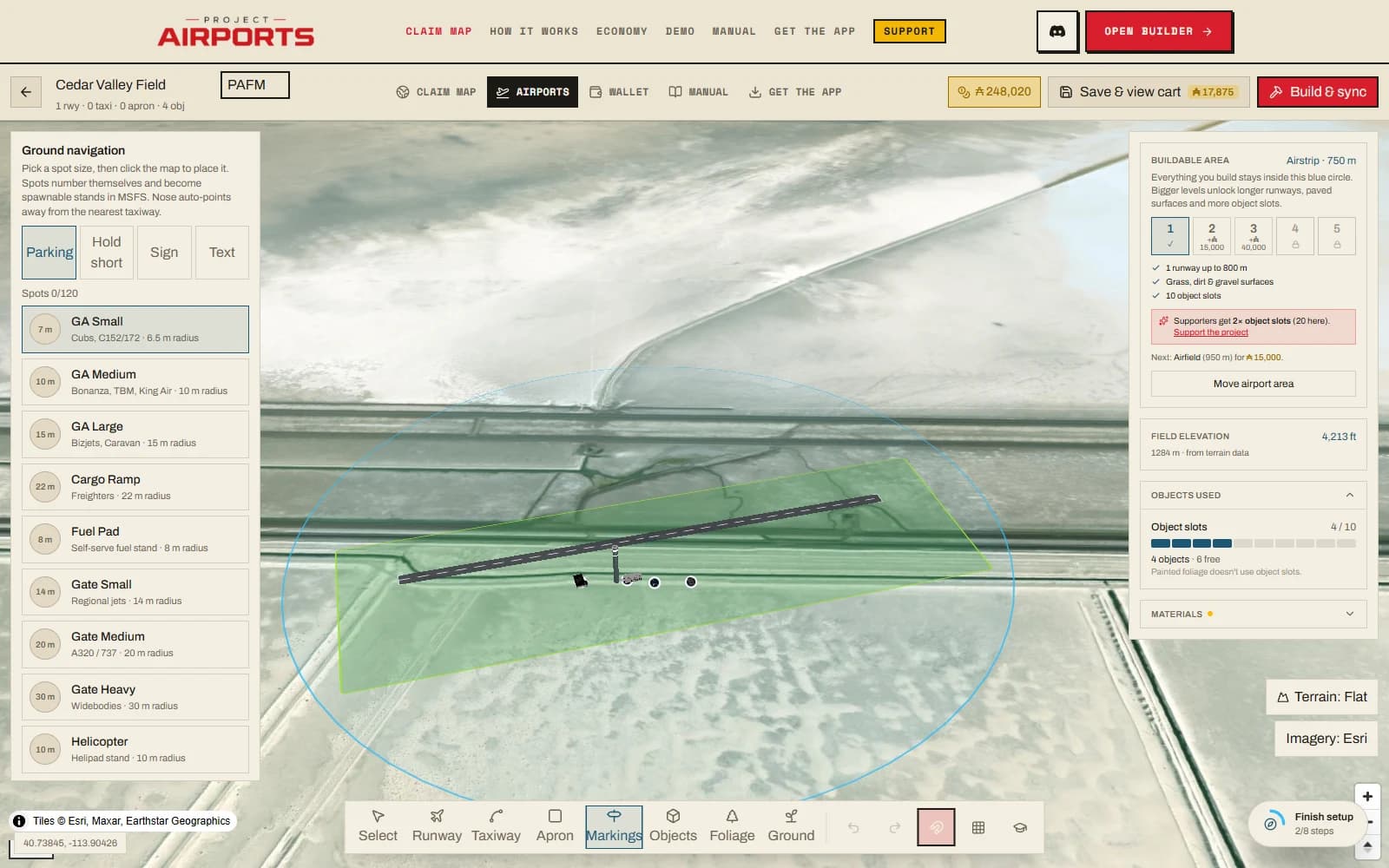
The limit is 120 spots per airport, all free - like everything else in ground navigation, operational realism costs nothing.
The property card
Select a placed spot to tune it:
- Type
- Choose GA ramps, cargo, military transport or combat ramps, helicopter stands, or a seaplane dock. Docks belong on water and have no pavement paint; add the physical dock separately. Pick Fuel Padfor a self-serve fuel stand; by default it's a clean spawnable spot with your painted fuel marking and no stock fuel object. Want the sim's 3D fuel pump too? A 3D fuel model checkbox appears when the type is Fuel.
- Custom stand name
- Optional free text up to 20 characters. Leave it blank to use the sim's native black number on a yellow plate. A name switches the pavement marking to plain painted text. Its digits set the spot number, and a letter+digit name like B3reads as "Gate B 3" in the sim.
- Number
- The spot number, if you'd rather set it directly.
- ATC parking area
- Parking, dock, or a directional ramp area. Existing gates retain their identity. A custom stand name can override this identity.
- Radius
- 3–60 m in half-metre steps. The diameter should clear the aircraft wingspan; leave extra space for neighbouring stands and buildings.
- Heading
- Override the automatic nose direction.
Markings and paint:
- Paint number / name
- Paints the native number plate, or the custom stand name when one is set.
- Dirt patch
- A worn-earth look under the stand - right for bush strips.
- Stand outline
- Gates and cargo stands only: the classic dashed box, an envelopethat tapers to the aircraft's nose, or none.
- White T marking
- GA ramps, fuel and cargo stands paint a white tiedown T. On Auto (the default) the T steps aside when the stand gets a yellow lead-in - the sim draws its own T-bar at the end of the lead-in, so painting both doubled it up. Choose Always or Never to override.
- T position
- Slides the painted T forward or back along the stand heading, so it sits where aircraft actually stop.
And the operational toggles:
- Allow AI aircraft
- On by default. Turning it off reserves the stand using a simulator parking-size restriction alongside airline and manufacturer filters. The full-size painted footprint remains, and numbers use plain painted text instead of a tiny native plate. Automatic ATC parking assignments may be limited. It cannot hide multiplayer aircraft or control external traffic injectors. Helicopter stands use the same traffic toggle; their player spawn remains close to the pad centre. Ambient airport vehicles are separate and stay disabled field-wide because MSFS can send them to any empty aircraft stand, even when Vehicle depots exist. Aircraft you deliberately placed from the object catalogue are scenery, not AI, so move or remove an overlapping object if you want the stand visibly empty too. Rebuild and sync the airport to apply changes in MSFS.
- Traffic matching preferences
- With AI enabled, specify comma-separated three-character airline ICAO codes or exact aircraft manufacturer names. Leave blank for any. These guide matching against installed aircraft; they do not guarantee an aircraft or livery.
- Connect to taxiway
- Auto-links the stand to your taxi network at build time so AI and ATC routing work (Taxiways & aprons). The builder previews the planned lead-in as a dashed yellow line from the taxiway to the stand, so you can see the connection before you build. A stand that sits at an angle to its taxiway gets a smooth curved lead-in, not a hard diagonal.
- Straight back only
- Available when connected: restricts the stand to nose-first taxi-in.
Real spawnable stands
Once your airport is built and synced, every parking spot is a real stand: the MSFS world map shows them like gates at any real airport, and both you and visitors can start flights parked on your field. That's a big part of what makes an airport feel like a place rather than a texture - and every pilot who visits your field pays you (Earning Aeros).
Field-tested advice
Name themed rows - B1, B2, B3 - and you get proper gate callouts, since letter+digit names read as "Gate B 1" and so on. If you've placed a landmark, put stands within walking distance of it: visitors want somewhere to shut down and look.