
Decor & Objects5 min read
Object slots
Slots keep airports performant and builds fair: every airport has a budget of object slots set by its buildable-area level. Big objects cost a full slot, small scatter costs a quarter, and painted vegetation costs nothing. This page is the whole system.
Your slot budget
The budget comes from your airport's area level (what levels are). Supporters get double at every level.
| Area level | Slots | Supporter slots |
|---|---|---|
| Level 1 | 10 | 20 |
| Level 2 | 25 | 50 |
| Level 3 | 50 | 100 |
| Level 4 | 120 | 240 |
| Level 5 | 200 | 400 |
Levels 4–5 are shown for reference - they are not yet purchasable.
For scale: a 10-slot starter fits roughly 10 hangars, or about 40 trees, or any mix in between.
What things weigh
| Kind | Weight |
|---|---|
| Hero objects - hangars, towers, terminals, beacons, vehicles, aircraft, and other substantial pieces | 1 slot |
| Scatter decor - trees, brush, rocks, props, clutter, fences, lights, signs, flags, street items, furniture, people, animals | ¼ slot each |
| Painted vegetation (the Foliage brush - Vegetation painting) | Free |
| Ground cover | Free |
Landmarks play by their own rules: through the prestige system they are effectively uncapped by slots - see Landmarks & prestige.
The meter
The Objects usedmeter lives in the builder's right rail and is always visible. Each slot fills in quarter steps, so scatter shows up honestly, and the readout matches: something like 9¾ / 10 with a breakdown line - {n} objects · {n} scatter (¼ each) · {n} free. The meter turns amber when you hit the cap.
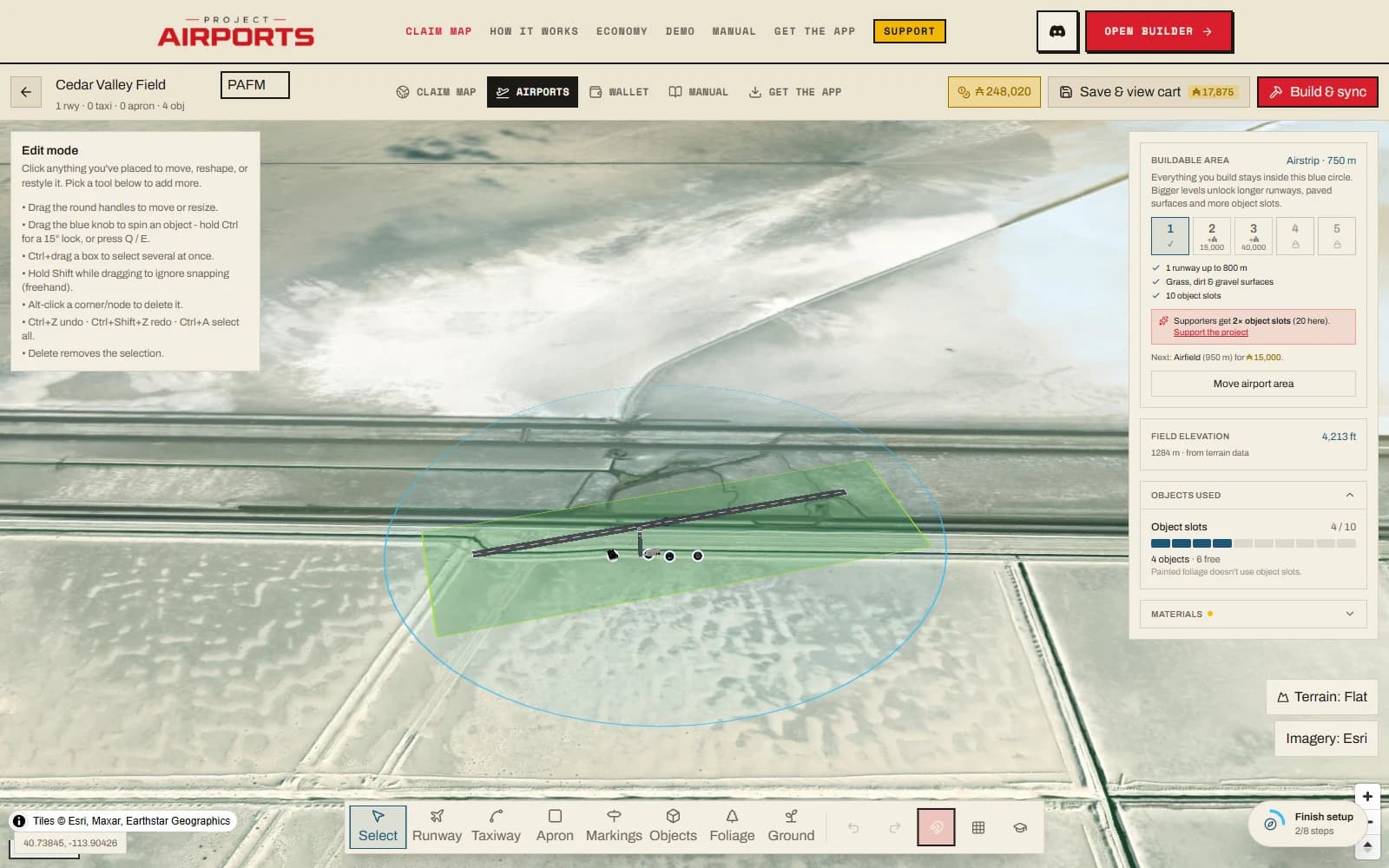
At the cap
At the cap, saving additional objects is blocked until you free up weight. You have two honest moves: remove some placements (deleted objects return to your account pool, nothing is lost), or grow the buildable area to the next level for a bigger budget (Buildable area & levels).